Skip to content
Search

Unified data

Alerts

Dashboards

Logistics AI
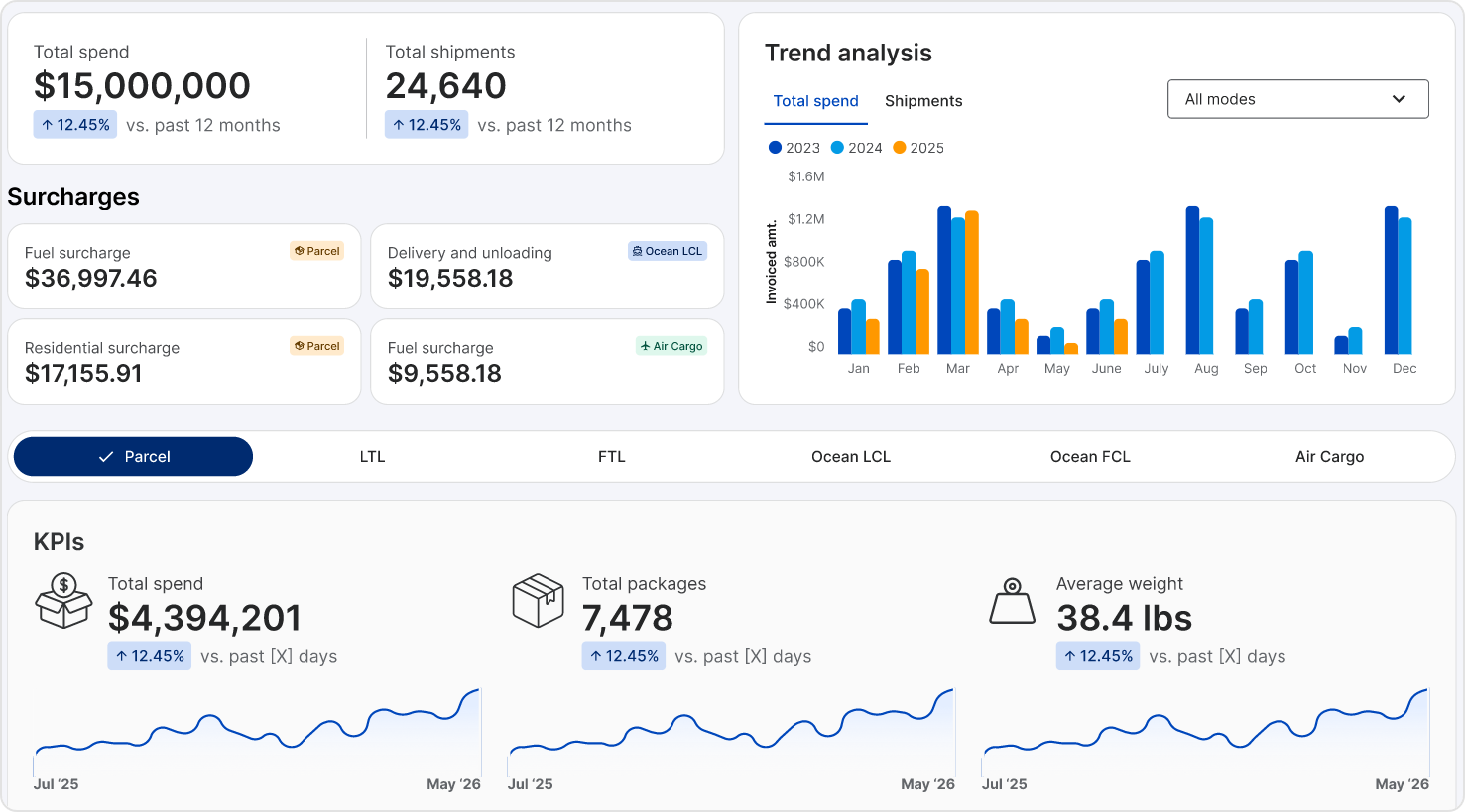
Decision Intelligence Analytics Dashboard

Shipping data analytics for faster decisions

  • Get issues, insights, and changes surfaced so you know when to act
  • See every carrier across parcel, LTL, truckload, air, and ocean in one normalized view built on audited data
  • Stop building reports to find answers and start getting them in seconds

Three ways Bolt gets you to the answer

Bolt is TransImpact's AI for your shipping data. It gives you answers and flags issues without anyone building a report.

You ask, Bolt answers

Get the analysis your team would spend hours building, in seconds

Bolt watches, you decide

Cost shifts and operational issues called out the week they happen

Bolt runs, you review

Recurring cost problems diagnosed with the fix attached

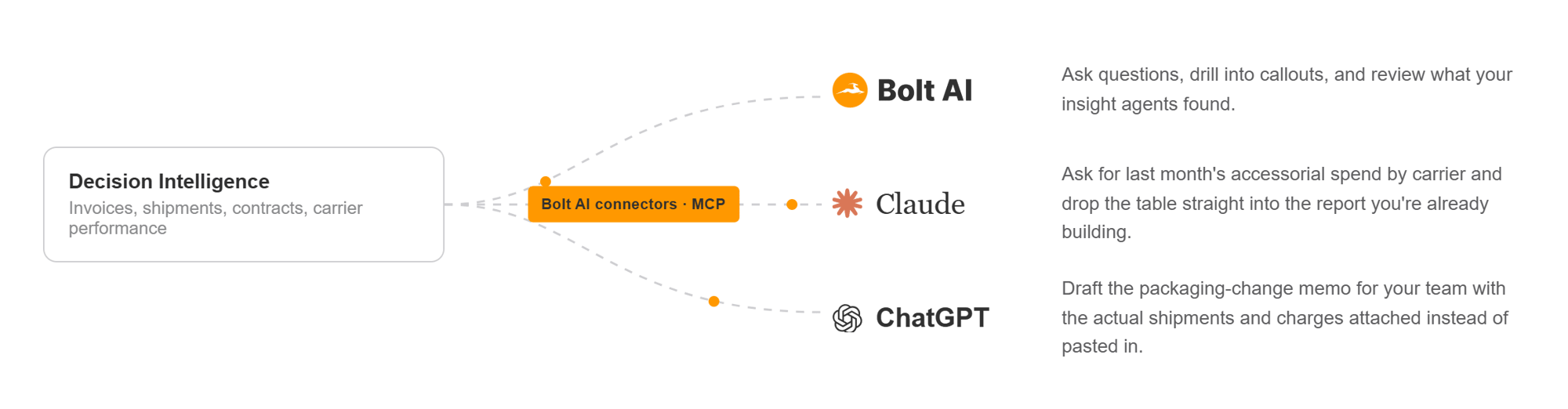
Then AI acts on it: Every finding ends with the specifics you need to change something. Export the table, or hand it to Claude or ChatGPT through Bolt's open connectors.

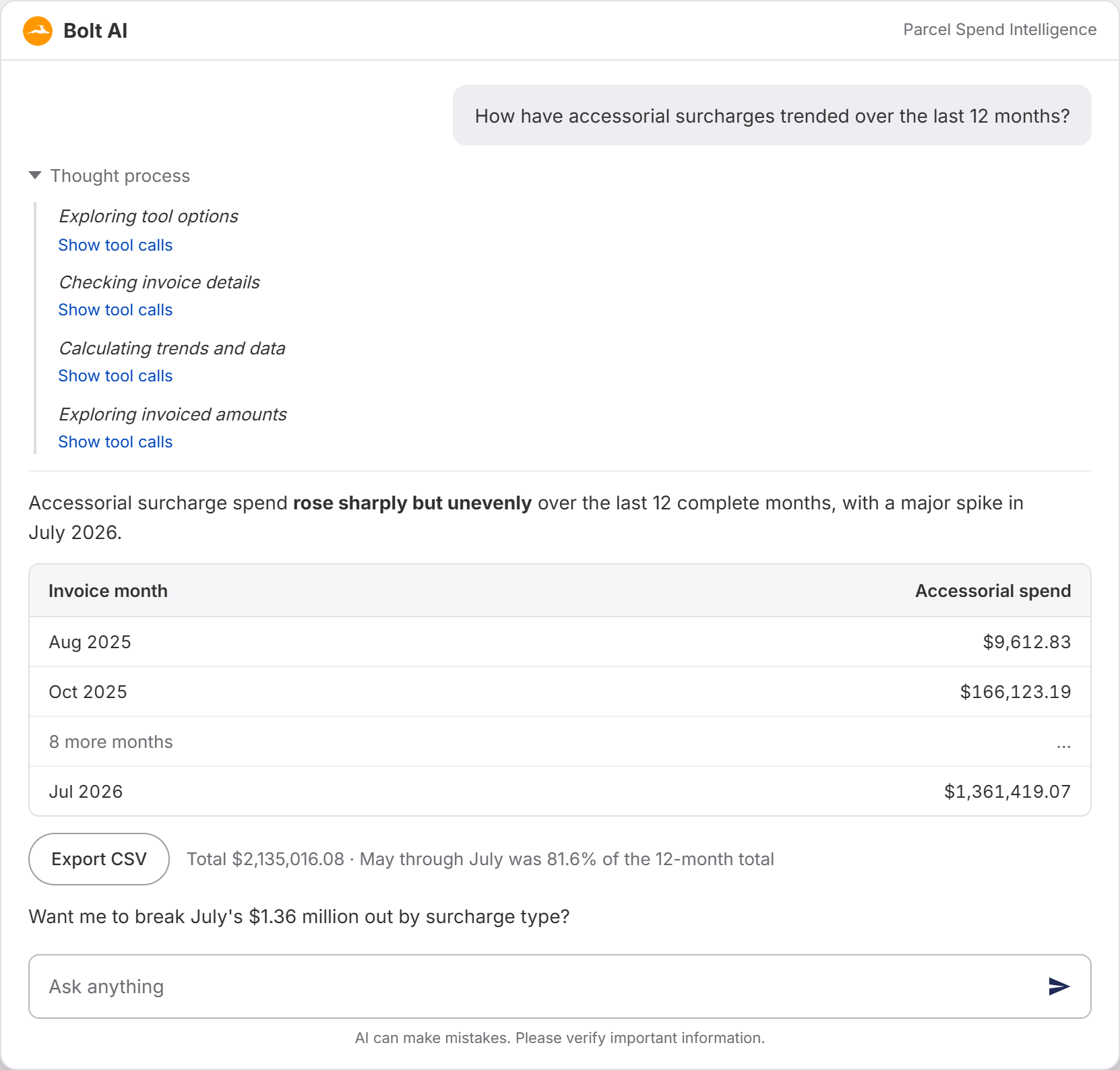
Ask the question and see every step to the answer

Most AI assistants in this category look up a figure in a report and read it back to you. Bolt plans the analysis and runs the queries itself, then checks the result before it answers.

  • Answers you can trust

    When the data cannot support an answer, Bolt tells you so instead of guessing.

  • Numbers built from real data

    Every figure traces back to a query against your own shipment data.

  • Knowledge of your business

    Bolt knows your carriers, your contract terms, and your invoice calendar.

Bolt knows your shipping data
Logistics AI gives you the questions to ask

Weekly callouts on what changed in your shipping

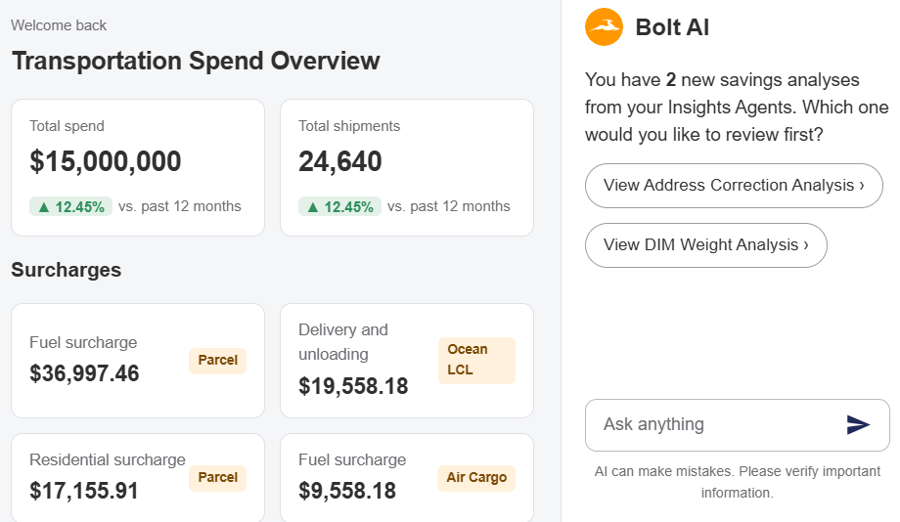
Bolt runs an analysis across your shipment data every week and calls out what changed, like a surcharge that spiked on one lane, or air shipments that could have gone ground and still arrived on time. Each callout appears on the Bolt home screen, ready to drill into with one click.

Agents that already know where the money hides

We build each insight agent around a specific cost problem and encode how our analysts diagnose that problem into how the agent runs.

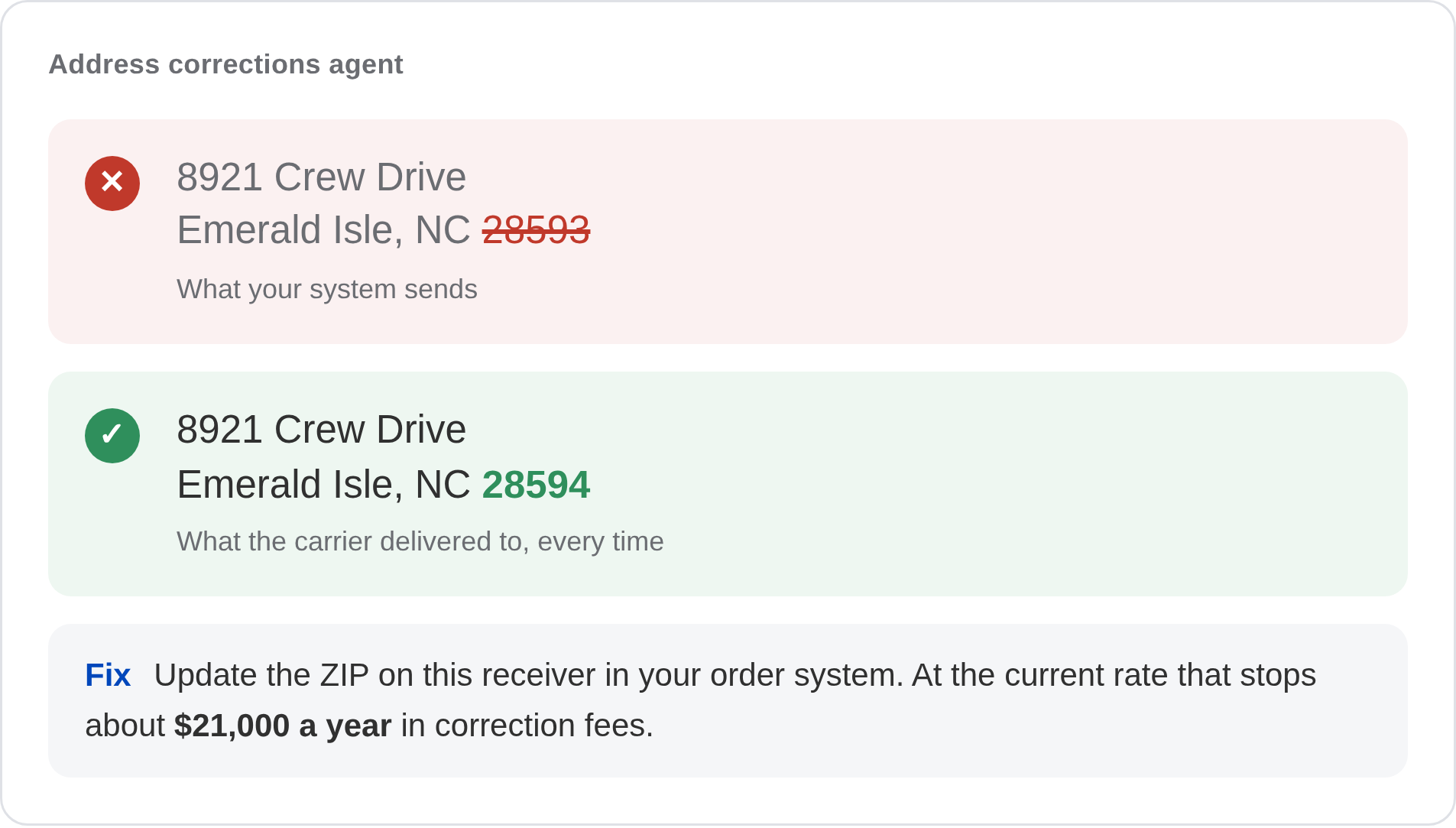
Address Corrections Agent


This agent finds the receivers that trigger recurring address correction charges and tells you which addresses to fix.

address correction agentic AI

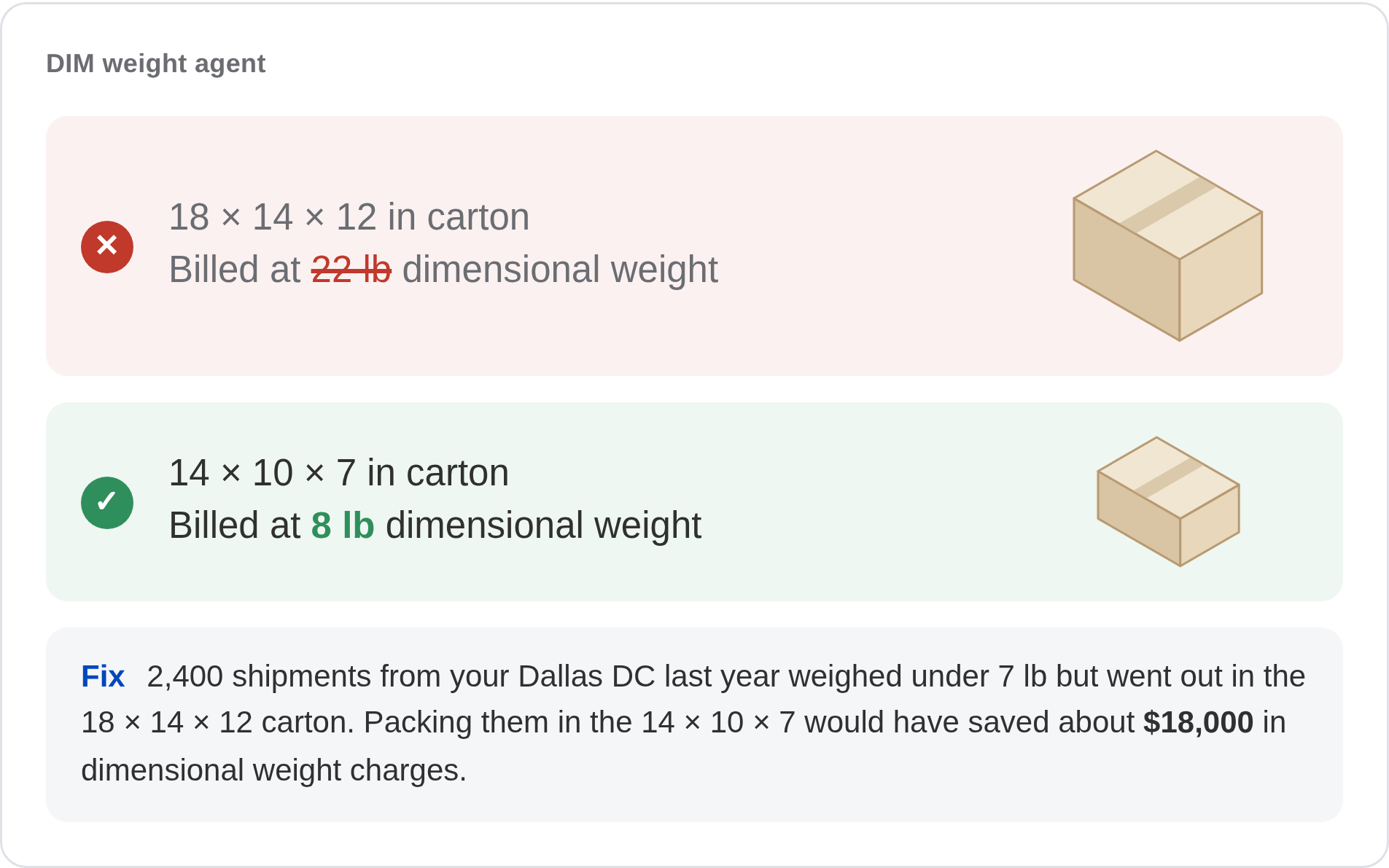
DIM Weight Agent


This agent flags the package sizes that cost you the most and recommends packaging changes that bring costs down.

dim weight agentic AI
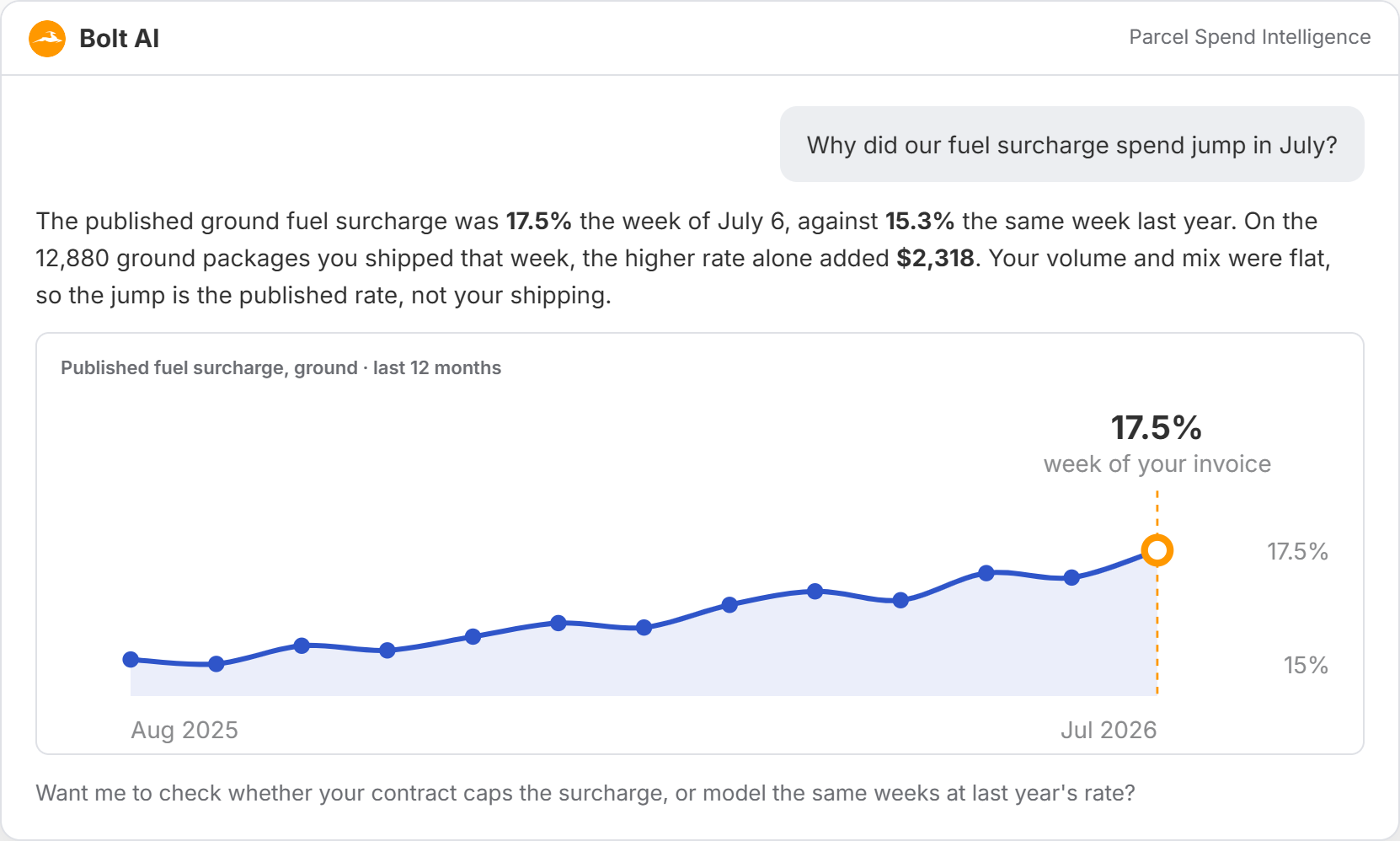
Bolt explaining a fuel surcharge increase against the published weekly rate

Answers built on your invoices and the rate context behind them

Your invoices show what you paid. Rate guides and surcharge tables show what you should have paid. Bolt works from both, with the carrier data built in, which is the difference between the right number and a plausible one.

  • Published carrier rate guides

    List rates by service, zone, and weight, so your discount is measured against the real base.

  • Weekly fuel surcharge history

    Every published weekly rate, matched to the week each package shipped.

  • Annual rate and surcharge changes

    What changed on the carrier side and when, so a jump in costs is traced to the right cause.

  • Your own invoice data

    The same numbers as your dashboards, net of the discounts you negotiated.

Use your AI tools, connected to your shipping data

Bolt, TransImpact's AI tool, connects through the Model Context Protocol (MCP), the open standard Claude and ChatGPT use to reach outside data. Connect it once, and your transportation data is available inside Claude, ChatGPT, or any other assistant that supports MCP.

Decision Intelligence MCP Connection

How Bolt compares with a typical AI add-on

  Typical AI add-on Bolt
What it's for Answering questions about your data Finding cost and operational issues you can act on: questions you ask, weekly callouts, and scheduled insight agents
Where you use it Inside the vendor's application only Inside TransImpact, and inside Claude and ChatGPT through open connectors
What it covers One mode or one carrier view Every carrier and every mode in one place: parcel, LTL, truckload, air, and ocean
How it monitors Fixed alerts chosen by the vendor Insight agents built around specific cost and operational problems and run on your schedule, plus weekly callouts Bolt finds on its own
What it knows Your data Your invoice data plus logistics information like published rate guides, weekly fuel surcharge history, and annual carrier changes
How it answers Retrieves a number from a report Runs the analysis itself, shows each step and tool call, and says so when the data can't answer

What Our Clients Are Saying

See what your shipping data can tell you 


Get a demo of Decision Intelligence and Bolt.

Frequently Asked Questions

Dashboards cover spend overview, invoice detail, carrier analysis, accessorial analysis, time in transit, address corrections, dimensional analysis, period-over-period comparisons, and sender/receiver breakdowns. Every dashboard is built on audited, normalized data, so analysis starts clean.

Yes. You have access to custom reporting and scheduled reporting, so your team gets the views they need on their timeline. You can also connect your own BI tools through the data connector to build reporting outside TransImpact's interface. 

Current insight agents include address corrections, DIM weight analysis, cost drivers, and negotiation exposure. Each one is built around a specific cost problem, runs on your schedule, and delivers the diagnosis with the fixes attached. New agents are added as TransImpact's analysts identify the next set of recurring problems ready to automate.

Bolt, TransImpact's AI tool, connects through the Model Context Protocol (MCP), so you can work with your shipping data inside Claude, ChatGPT, or any other AI assistant that supports MCP. Connect it once, and your team can ask questions about your transportation data from the assistant they already use. Setup steps vary by assistant and plan.

If you're using TransImpact for Freight Audit & Pay or Decision Intelligence, the data is already there. Invoices, contracts, shipment records, and carrier performance data are all normalized and connected as part of the audit process. There's no separate data onboarding for the AI layer.

No. Bolt takes plain-language questions and runs the analysis for you, dashboards are pre-built for transportation use cases, and insight agents deliver findings with the specific shipments, charges, and fixes attached so you can act without digging through data. Your team spends less time building reports and more time making decisions that reduce cost. Everything is designed for operations and finance teams, not data engineers.

TransImpact is SOC 2 Type 1 and Type 2 certified. That means our security controls have been independently audited and verified against established standards for how we store, access, and protect your data. Your shipment records, carrier invoices, and contract terms are handled in a secure environment with controls in place to prevent unauthorized access.

Your data stays with TransImpact. Bolt, TransImpact's AI tool, runs inside TransImpact's secure enterprise Azure environment, and nothing you ask it goes to Claude, ChatGPT, or any outside model company, so no outside provider stores your data or trains on it.

If you connect your own AI tool through the MCP, that tool's provider handles the data under your own agreement with them.

Find more transportation spend management solutions